Topiry



AI Voice Assistants for Business: A Deep Dive Into the Tools Actually Worth Deploying
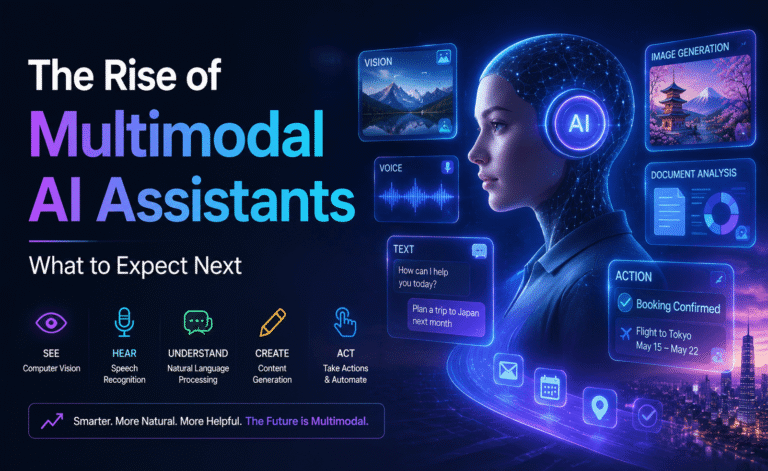
The phrase “AI voice assistant” used to conjure images of smart speakers setting kitchen timers. In a business context, it now means something far more consequential: AI agents that can answer customer calls, qualify leads, schedule appointments, and handle multi-turn conversations with enough naturalness that callers frequently don’t realize they’re speaking to a machine. This shift has been driven by two parallel advances — dramatically more natural text-to-speech, and large language models capable of holding a coherent, context-aware conversation rather than following a rigid decision tree.
We spent time evaluating the AI voice assistant platforms businesses are actually deploying today, focusing on real operational concerns: call handling quality, integration effort, latency, and how gracefully each system hands off to a human when it hits its limits, rather than getting distracted by flashy features that rarely matter once a system is handling real customer calls day to day.
What Matters Most in a Business Voice Assistant
- Conversation quality — can it handle interruptions, follow-up questions, and topic changes naturally?
- Latency — response delay that feels like a real phone call versus an awkward pause.
- Integration — how easily it connects to CRMs, calendars, and existing phone systems.
- Escalation handling — does it recognize when to transfer to a human, and how smoothly?
- Customization — how much control businesses have over tone, scripts, and knowledge base.
The Platforms We Evaluated
1. Vapi
Vapi has become a popular backbone for teams building custom voice AI agents, largely because it’s developer-focused rather than a rigid out-of-the-box product. It lets teams combine their preferred speech-to-text, language model, and text-to-speech providers into a single pipeline, which gives real flexibility over both cost and voice quality. In our testing, latency was low enough that conversations felt close to a real phone call, with only occasional slightly-too-long pauses during more complex reasoning steps.
Best for: Technical teams building custom voice agents tailored to a specific workflow.
2. Bland AI
Bland AI positions itself specifically around outbound and inbound call automation at scale, with a focus on sales and support use cases. Setup was noticeably faster than fully custom-built solutions, with templated flows for common scenarios like appointment reminders and lead qualification. Call handling was solid for straightforward, scripted interactions, though it showed more strain than Vapi when conversations veered into unexpected territory.
Best for: Sales and support teams that need to launch call automation quickly without heavy engineering resources.
3. Synthflow
Synthflow targets a similar space with a strong emphasis on no-code setup, letting non-technical teams build a voice agent through a visual flow builder connected to a knowledge base. Conversation quality was good for FAQ-style interactions pulled directly from uploaded documentation, and its calendar and CRM integrations worked cleanly in our test setup. More open-ended conversations occasionally required a rephrase from the caller to get back on track.
Best for: Non-technical teams that want a no-code voice agent tied to existing support documentation.
4. Amazon Lex + Polly (Contact Center stack)
For enterprises already running on AWS, combining Lex for conversation design with Polly’s generative voices remains a robust, if more engineering-heavy, path. It offers deep customization and strong compliance tooling, which matters for regulated industries like finance and healthcare. The tradeoff is setup time: this stack takes meaningfully longer to configure than the more turnkey options above, and getting genuinely natural conversation flow requires more careful design work.
Best for: Regulated enterprises already invested in AWS infrastructure.
5. Retell AI
Retell AI sits between the fully custom and fully templated approaches, offering a developer-friendly platform with pre-built conversational components that can still be deeply customized. Its interruption handling — recognizing when a caller starts speaking mid-response and adjusting accordingly — was among the smoothest we tested, which meaningfully improved how natural calls felt.
Best for: Teams that want strong out-of-the-box conversation handling with room to customize.
Comparison Table
| Platform | Setup Effort | Conversation Flexibility | Integration Depth | Best For |
|---|---|---|---|---|
| Vapi | High | Excellent | Highly customizable | Custom-built agents |
| Bland AI | Low | Good | Templated | Fast sales/support rollout |
| Synthflow | Low | Good | No-code integrations | Non-technical teams |
| Amazon Lex + Polly | High | Very Good | Deep AWS integration | Regulated enterprises |
| Retell AI | Medium | Very Good | Developer-friendly | Balanced customization |
Where These Tools Still Fall Short
Even the strongest platforms we tested occasionally struggled with genuinely ambiguous requests, heavy background noise on the caller’s end, or callers who spoke with strong accents combined with a poor phone connection. The best implementations we saw treated this honestly, routing uncertain cases to a human agent quickly rather than letting the AI guess and risk a frustrating call. If you’re evaluating a vendor, ask specifically how escalation is triggered and how much control you have over that threshold — it matters more to customer experience than almost any other feature.
Pricing Snapshot
Most of these platforms price around per-minute call costs, which typically stack the underlying speech-to-text, language model, and text-to-speech costs together, plus a platform margin. Fully custom stacks like Vapi can be cheaper per minute at scale since you can choose lower-cost underlying models for simpler calls, but require more engineering investment to set up well. No-code platforms like Synthflow trade a slightly higher per-minute cost for dramatically less setup time, which is often the right trade for smaller teams. It’s also worth budgeting for ongoing iteration: the initial setup cost of any of these platforms is usually smaller than the cumulative time spent refining scripts, adjusting escalation logic, and retraining the knowledge base after the first few weeks of real call data comes in. Teams that treat launch as the finish line tend to be disappointed with call quality; teams that treat it as the starting point tend to see steady improvement over the following month or two.
How to Choose
If you have engineering resources and want full control over the stack, Vapi or Retell AI give you the most flexibility. If you need to launch quickly with minimal technical overhead, Bland AI or Synthflow will get you live faster. Enterprises in regulated industries should lean toward the AWS-based approach for its compliance tooling, even though it demands more setup time.
A Real-World Deployment Example
To see how these platforms behave outside a controlled demo, we simulated a common scenario: an inbound call from a customer trying to reschedule an appointment, first with a straightforward request, then with a follow-up that introduced ambiguity (“actually, can we do sometime next week instead, whatever’s open in the afternoon”). This is a useful stress test because it requires the assistant to hold context across turns, query an actual calendar, and handle a vague constraint rather than an exact date.
Retell AI and Vapi both handled the follow-up gracefully, asking a clarifying question about which afternoon rather than guessing or failing outright. Synthflow’s no-code flow handled the initial request well but needed the caller to be more explicit before it could complete the ambiguous follow-up, which is a reasonable trade-off for how much faster it is to configure. Bland AI’s templated flow handled the scenario adequately within its intended use case but showed its limits when the conversation drifted further from the expected script structure. The Amazon Lex-based stack performed reliably once properly configured, though building the intent-recognition rules to handle this level of ambiguity took noticeably more design work up front than the more LLM-native platforms.
Deployment Checklist Before Going Live
- Test with real accents and phone-line audio quality, not just clean studio microphone input, since cell connections and landlines degrade audio in ways that affect recognition accuracy.
- Define clear escalation triggers for frustration, repeated misunderstanding, or explicit requests for a human agent.
- Set expectations with callers early — a brief, honest disclosure that they’re speaking with an AI assistant tends to reduce frustration compared to leaving it ambiguous.
- Monitor real call transcripts weekly, at least during the first month, to catch recurring failure patterns before they affect a large volume of customers.
- Plan for graceful failure, not just graceful success — make sure a dropped connection or unrecognized request still routes somewhere useful.
Final Verdict
AI voice assistants for business have crossed a real threshold in 2026 — the best implementations handle genuine two-way conversation, not just scripted menu trees. There’s no single best platform for every business; the right choice depends heavily on your engineering capacity, compliance requirements, and how quickly you need to go live. Whichever you choose, invest real effort in escalation design, since how gracefully your AI hands off to a human will shape customer perception more than any other single factor, and that perception, more than raw technical polish, is ultimately what determines whether a voice AI deployment gets expanded across more call types or quietly rolled back after the first quarter of real-world use.
About the Author