Topiry



The Rise of Multimodal AI Assistants: What to Expect Next
The Rise of Multimodal AI Assistants: What to Expect Next
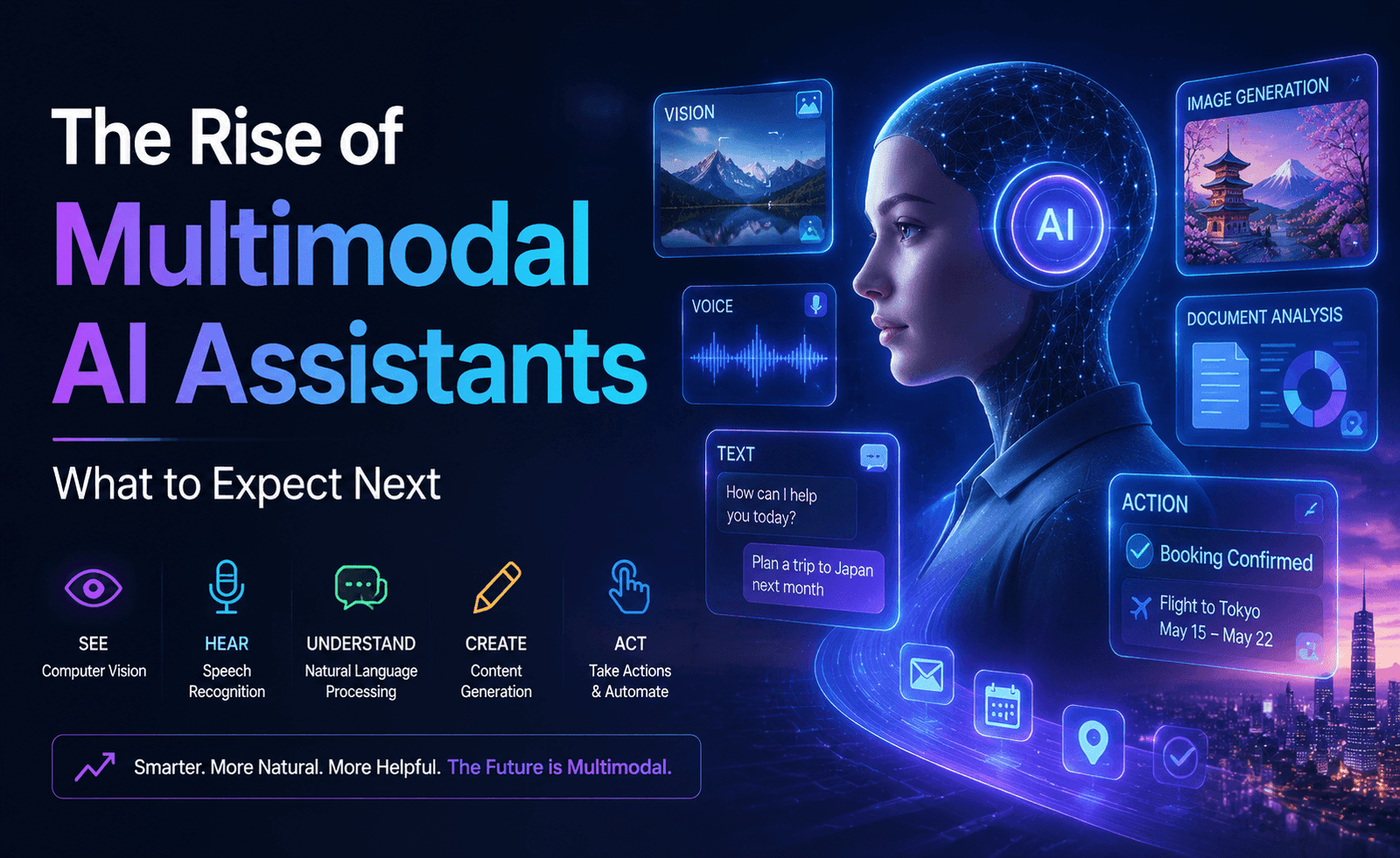
For most of the last few years, “talking to an AI” meant typing text and reading text back. That’s changed quickly. Today’s leading assistants can look at a photo, listen to your voice, read a scanned document, and interpret a chart — often within the same conversation. This shift toward multimodal AI is quietly changing what these tools are useful for, and it’s worth understanding both what works well today and what’s still catching up to the hype.
What “Multimodal” Actually Means in Practice
The term gets used loosely, so it’s worth being precise. A genuinely multimodal assistant can take input in more than one format — text, images, audio, documents — and reason across them together, not just process each in isolation. The difference matters: an assistant that can transcribe audio and separately answer text questions is doing two different jobs. An assistant that can listen to a recorded meeting and then answer a nuanced question about tone or unstated tension in the discussion is doing something meaningfully more integrated.
Vision: From Novelty to Genuinely Useful
Image understanding has moved from party trick to daily utility faster than almost any other capability. The clearest wins we’ve seen in real use:
- Reading charts and graphs and pulling out the underlying data or trend, saving the manual work of re-transcribing a graphic into numbers
- Interpreting screenshots of error messages, settings menus, or unfamiliar software interfaces — a huge time-saver for tech support scenarios
- Reviewing design mockups for accessibility issues, inconsistent spacing, or off-brand color usage before a design goes to development
- Extracting text and structure from scanned documents, including forms and tables that don’t have clean underlying text
Where vision still struggles: very cluttered or low-resolution images, dense technical diagrams with many overlapping labels, and anything requiring precise spatial measurement rather than general interpretation.
Voice: Closing the Gap With Natural Conversation
Voice interfaces have historically felt stilted — a clear, robotic turn-taking that made extended conversation exhausting. The newest generation of voice-enabled assistants handles natural pacing, interruption, and tone far better than earlier versions, to the point that voice is becoming a genuinely viable primary interface for some use cases rather than a novelty layered on top of a text product.
The test of a good voice assistant isn’t whether it understands your words — it’s whether talking to it feels less effortful than typing would have.
The most practical current use cases for voice are hands-busy scenarios: cooking, driving, exercising, or working through a task where typing would be a genuine interruption. For anything requiring careful review of a long or precise answer, text still tends to be the better medium — it’s easier to skim, re-read, and edit.
Document Understanding: The Unsung Workhorse
Less flashy than vision or voice, but arguably more broadly useful for knowledge work, is the steady improvement in how well assistants handle long, complex documents — contracts, research papers, financial reports, and multi-page forms. The ability to ask a specific question about page 40 of a 60-page PDF and get an accurate, cited answer — rather than a vague paraphrase — has real value for legal, financial, and research-heavy work.
Accuracy still tends to drop as documents get longer, denser, or more visually complex (think dense financial tables with footnotes referencing other footnotes). For high-stakes documents, treating the assistant’s summary as a fast first pass to verify against the source, rather than a final answer, remains the responsible approach.
Combining Modes: Where It Gets Genuinely New
The most interesting capability isn’t any single mode in isolation — it’s combining them within one conversation. A few examples that illustrate the shift:
| Scenario | What Multimodal Reasoning Enables |
|---|---|
| Upload a photo of a whiteboard sketch and describe the goal verbally | Assistant produces a structured plan combining both inputs, not just a transcription |
| Share a spreadsheet and ask “does this chart match the raw numbers?” | Cross-checks visual and tabular data directly, flagging discrepancies |
| Provide a scanned form and ask for it to be filled out based on a separate document | Extracts structure from one source and populates it from another |
Where the Hype Is Ahead of the Reality
It’s worth tempering expectations in a few areas that get overstated in marketing:
- Real-time video understanding at a level of nuance comparable to still-image analysis is still maturing, particularly for fast motion or complex scenes.
- Precise spatial and measurement tasks (exact distances, precise counts in cluttered images) remain error-prone compared to general interpretation tasks.
- Fully autonomous multimodal agents that can watch a screen and complete a complex, multi-step task unsupervised are improving but still benefit from human checkpoints on anything consequential.
What This Means for How You Work
The practical takeaway isn’t that you need to overhaul your workflow around every new modality — it’s that the next time you’re tempted to manually transcribe a chart, retype text from a screenshot, or describe a document instead of just sharing it, it’s worth testing whether the assistant can now just handle the source material directly. For most people, the real productivity gain isn’t a dramatic new use case; it’s quietly skipping a manual conversion step that used to be assumed as necessary.
Accessibility Implications
One of the most genuinely impactful, if under-discussed, effects of multimodal AI is what it means for accessibility. Voice interfaces open up capable AI assistance to people who find typing difficult or slow. Image understanding can describe a scene or document to someone with low vision. Document parsing can make a poorly scanned or inaccessible PDF usable in ways that weren’t practical before. These aren’t edge-case features — for a meaningful number of users, they’re the difference between a tool being usable at all and not.
We’d encourage anyone evaluating these tools on behalf of a team or organization to explicitly test accessibility-relevant use cases rather than treating them as a nice-to-have afterthought, since the gap between “technically supported” and “actually works well in practice” can be significant.
Privacy Considerations for Multimodal Data
Sharing an image, a voice recording, or a scanned document raises different privacy considerations than sharing plain text — these formats often contain more incidental information than people realize (a face in the background of a photo, a visible screen in a screenshot, an address on an envelope). Before uploading sensitive visual or audio content, it’s worth understanding each provider’s current policy on how that data is stored, whether it’s used for model training by default, and how to opt out or delete it after the fact. These policies are updated periodically, so checking the current version directly rather than relying on older assumptions is good practice, especially for business or professional use.
Practical Tips for Getting the Most Out of Multimodal Features
- Crop and clean up images before uploading — removing irrelevant clutter noticeably improves accuracy on charts and documents.
- Be specific about what you want extracted from a document rather than asking a vague “summarize this,” especially for long or table-heavy files.
- Use voice for exploratory, conversational tasks and switch to text when you need to carefully review a precise or lengthy answer.
- Verify high-stakes extracted data — financial figures, legal terms, medical information — against the original source rather than trusting the summary outright.
Frequently Asked Questions
Do I need special hardware or a specific app to use multimodal features?
Most leading assistants support image, document, and voice input directly through their standard web and mobile apps without any special setup, though voice quality can depend on your device’s microphone.
Are multimodal responses slower than text-only responses?
Processing an image, long document, or audio file typically takes a bit longer than a plain text question, though the difference has shrunk considerably as the underlying infrastructure has improved.
Can these assistants understand video, not just still images?
Support for video is emerging but generally less mature than image understanding, particularly for fast-moving or visually complex footage — treat it as a developing capability rather than a fully reliable one for now.
What Businesses Should Watch For
For organizations evaluating multimodal AI tools for team use, it’s worth looking beyond the demo and asking a few grounded questions: How does the tool perform on your actual documents, not a clean sample file? How does voice handle your team’s accents and background noise, not a quiet studio recording? And critically, what happens when the assistant is uncertain — does it say so clearly, or does it produce a confident-sounding answer regardless? That last question matters more than almost any other capability, because a tool that fails silently is far more dangerous in a business context than one that fails loudly and asks for clarification.
Piloting with a small, representative sample of your real-world content before a wider rollout remains the most reliable way to separate genuine capability from a polished demo.
Looking Ahead
The trajectory is clear even if the exact pace is hard to predict: the gap between “types of input a human can naturally provide” and “types of input an assistant can naturally understand” keeps narrowing. As that gap closes, the friction of adapting your work to the tool’s limitations keeps shrinking too. The assistants worth paying attention to over the next year will likely be judged less by any single flashy demo and more by how invisibly they handle the mix of text, images, voice, and documents that make up a normal workday.
About the Author