Topiry



Adobe Photoshop 2026 Review: Is the Industry Standard Still Worth It?
Adobe Photoshop has been the default answer to “what software do I use to edit images?” for more than three decades. But software categories evolve fast, and in 2026 the pixel-editing space is more crowded than ever, with nimble, subscription-free challengers chipping away at Adobe’s dominance. So the question worth asking isn’t whether Photoshop is powerful — everyone already knows it is — but whether it’s still the right choice for your workflow, your budget, and your creative goals. We spent several weeks testing the latest release across photo retouching, digital painting, UI mockups, and AI-assisted compositing to find out.
What’s New in the Latest Release
Adobe has clearly leaned into two directions this cycle: deeper generative AI integration and quality-of-life performance improvements. The Generative Fill and Generative Expand tools, which felt like novelties a couple of years ago, are now core to how many professional retouchers work. Object selection has become dramatically smarter — the “Select Subject” and “Select Sky” tools now handle complex edges like hair, glass, and semi-transparent fabric with far fewer manual touch-ups required afterward.
Beyond AI, Adobe has invested in making large file handling less painful. Multi-layer PSD files with dozens of smart objects now open and save noticeably faster, and the redesigned Properties panel consolidates settings that used to be scattered across multiple menus. None of these changes are flashy on their own, but together they add up to a tool that feels less like a legacy application patched over the years and more like software that was actually rebuilt with modern workflows in mind.
Interface and Everyday Workflow
Photoshop’s interface has always had a reputation for being intimidating, and that hasn’t fundamentally changed — this is still a deep, panel-heavy application built for professionals rather than casual users. That said, the customizable workspaces (Photography, Painting, 3D, Motion) genuinely help new users avoid feeling buried in tools they’ll never touch. The searchable Discover panel is worth highlighting too: instead of hunting through menus, you can type roughly what you want to do (“remove background,” “add drop shadow,” “resize canvas”) and jump straight to the relevant tool or a guided tutorial.
Keyboard shortcuts remain fully customizable, and the tool now syncs your preferences across devices if you work on both a desktop and an iPad. Speaking of which, Photoshop on iPad has matured significantly and is no longer a stripped-down companion app — most core retouching and compositing tasks can now be done comfortably with an Apple Pencil, which is a meaningful shift for photographers and illustrators who like to work away from a desk.
AI-Powered Creative Tools
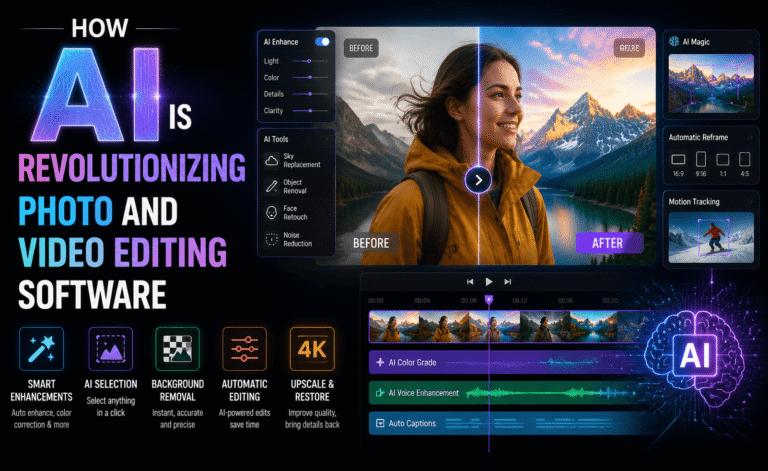
This is where the current version of Photoshop separates itself most clearly from older releases. Generative Fill lets you select an area of an image and describe what should appear there — removing a distracting object, extending a background, or adding an element that was never in the original shot. Results are impressively convincing for landscapes, textures, and simple objects, though faces and hands under close scrutiny can still show artifacts, so professional retouchers will want to treat generative results as a strong starting point rather than a finished product.
Generative Expand is arguably even more useful in commercial work: reformatting a photo shot for one aspect ratio into another (say, a square Instagram crop into a widescreen banner) used to require manual reconstruction of the missing background. Now it can be done in seconds with results that hold up under normal viewing conditions. Neural Filters, meanwhile, keep expanding — skin smoothing, style transfer, and colorization tools all got noticeably better at avoiding the “plastic” look that plagued earlier AI beauty filters.
- Generative Fill – content-aware object removal and insertion driven by text prompts
- Generative Expand – intelligent canvas extension for reformatting images
- Neural Filters – AI-assisted portrait retouching, style transfer, and colorization
- Smart Object Linking – non-destructive editing across multiple linked files
Performance and System Requirements
Photoshop remains a resource-hungry application, and that hasn’t changed with this release. GPU acceleration is now used far more aggressively, which means a mid-range dedicated graphics card makes a genuinely noticeable difference — not just for 3D and video-adjacent features, but for everyday brush responsiveness and filter previews. On a modern machine with sufficient RAM (16GB is a comfortable minimum for serious work, 32GB if you regularly juggle large multi-layer files), the application feels snappy. On older or budget hardware, however, you’ll still hit the same frustrations longtime users remember: laggy brush strokes on large canvases, slow filter previews, and occasional stutters when switching between heavy documents.
Startup time has improved thanks to a leaner plugin-loading process, and Adobe’s cloud document format (if you choose to use it) makes it easier to pick up a file on a different machine without manually transferring PSDs — useful for teams that move between office and home setups.
Pricing and Plans
Photoshop is only available through Adobe’s subscription model, either as a standalone plan or bundled into the wider Creative Cloud suite alongside Illustrator, Premiere Pro, and other apps. For users who only need Photoshop, the standalone plan is the more economical route; for anyone doing cross-disciplinary work (photo, video, layout), the full Creative Cloud bundle tends to work out cheaper than paying for each app individually. There’s also a Photography plan that pairs Photoshop with Lightroom at a reduced rate, which remains one of the best value entry points for photographers specifically.
The recurring criticism hasn’t gone away: there’s still no perpetual license option, so the moment you stop paying, you lose access to your primary editing tool. For freelancers and studios with predictable, ongoing client work this is a non-issue. For hobbyists or occasional users, it’s worth weighing against one-time-purchase alternatives discussed below.
Pros and Cons
- Pros: Unmatched plugin and brush ecosystem, best-in-class selection and masking tools, genuinely useful generative AI features, strong cross-device support with iPad, industry-standard file compatibility for client and studio work.
- Cons: Subscription-only pricing with no perpetual license, steep learning curve for newcomers, heavy system requirements for smooth performance on large files, occasional AI artifacts on complex subjects like hands and faces.
Who Should Use Photoshop in 2026
If you work professionally with images — photography, product retouching, digital painting, marketing creative, or UI mockups that need pixel-level polish — Photoshop remains the safest choice simply because of how deeply embedded it is in professional pipelines. Client files, studio templates, and plugin ecosystems are almost universally built around PSD compatibility, and that network effect is hard to replicate. If you’re a hobbyist who edits a handful of personal photos a month, the subscription cost is harder to justify, and you’ll likely be just as happy with a lighter, cheaper tool.
Alternatives Worth Considering
Affinity Photo remains the strongest one-time-purchase alternative for users who want professional-grade tools without a subscription. Photopea, a free browser-based editor, is surprisingly capable for quick edits and even opens native PSD files. For AI-first workflows specifically, some newer tools focus almost entirely on generative editing rather than traditional pixel manipulation, which can be faster for simple tasks but less flexible for detailed professional retouching.
Real-World Test: A Product Photography Workflow
To get past the marketing copy, we ran Photoshop through a full product photography workflow: fifty raw e-commerce shots that needed background cleanup, shadow correction, color matching across the batch, and reformatting into three different aspect ratios for a website, a marketplace listing, and a social ad. The batch-processing tools (Actions and the Image Processor) made short work of the repetitive resizing and file-format conversion, cutting what used to be a tedious manual export process down to a few minutes of setup and a single run.
Where the newer AI tools genuinely paid off was in the reformatting step. Instead of manually extending each product background to fit a new ratio, Generative Expand handled the vast majority of shots convincingly on the first pass, needing manual touch-ups on only a handful of images with unusual lighting or reflective surfaces. For a solo e-commerce seller or a small studio churning through high volumes of near-identical shots, that time savings alone could justify the subscription cost within a single busy month.
Tips for Getting the Most Out of Photoshop
A few practical habits made a noticeable difference during testing. First, building a personal library of Actions for repetitive tasks (batch resizing, watermarking, export presets) pays for itself quickly if your work involves any kind of volume. Second, treating Generative Fill and Expand as a first draft rather than a final answer keeps expectations realistic — running a second, more targeted generation pass on flagged problem areas (hands, reflections, fine text) consistently produced better results than accepting the first output. Third, working non-destructively with Smart Objects and adjustment layers rather than flattening early made revisions dramatically less painful when client feedback inevitably requested changes after the fact.
Finally, if you’re on the fence about hardware, prioritizing GPU memory over raw CPU clock speed tends to give better real-world responsiveness in Photoshop specifically, since so many of the newer AI and filter features lean on GPU acceleration rather than single-threaded CPU performance.
Final Verdict
Photoshop 2026 is not a reinvention — it’s a refinement of an already dominant tool, and that refinement is genuinely useful. The generative AI features have moved from gimmick to genuinely time-saving, performance is better than it’s been in years, and the cross-device experience finally feels cohesive. The subscription model will remain a sticking point for casual users, but for professionals whose livelihood depends on image editing, Photoshop is still the tool the rest of the industry is measured against.
Rating: 4.6/5 — An industry-defining tool that keeps getting smarter, at a price that only makes sense for regular, professional use.
About the Author