Topiry



ChatGPT vs Claude vs Gemini: The Ultimate AI Chatbot Comparison
Choosing an AI chatbot in 2026 is a lot like choosing a smartphone back in 2012 — the core promise (a helpful digital brain in your pocket) is the same everywhere, but the experience underneath varies enormously. ChatGPT, Claude, and Gemini have each carved out a distinct personality, a distinct set of strengths, and a distinct kind of user who swears by them. In this guide we break down how the three actually compare once you move past the marketing slides and into daily use.
Why This Comparison Matters
Most people don’t need a benchmark score to decide which chatbot to use — they need to know which one will save them time on the tasks they actually do every day: drafting emails, summarizing documents, debugging code, brainstorming ideas, or just answering a quick question without a wall of caveats. That’s the lens we used throughout this review. We spent weeks running the same real-world prompts through all three assistants and comparing the results side by side.
Reasoning and Problem Solving
When it comes to multi-step reasoning — the kind of task where the model has to hold several constraints in its head at once — all three tools have become remarkably capable. Where they diverge is in how they show their work. One assistant tends to lay out its logic in tidy, numbered steps that are easy to audit. Another prefers a more conversational style, weaving the reasoning into prose. The third sits somewhere in between, offering structured answers but with a slightly more clinical tone.
For tasks like financial modeling, logic puzzles, or evaluating trade-offs in a business decision, we found that having the reasoning visible and checkable mattered more than raw speed. A wrong answer delivered instantly is worse than a correct one that took a few extra seconds.
Quick Take: Reasoning
- Best for transparent step-by-step logic: the assistant that shows its intermediate reasoning clearly
- Best for creative lateral thinking: the assistant with the most conversational, exploratory style
- Best for quick factual lookups: the assistant most tightly integrated with live search
Writing Quality and Tone
Writing is where personal taste plays the biggest role, and it’s also where the three tools feel most different. One consistently produces longer, more literary prose with a distinct voice — great for essays, marketing copy, or long-form storytelling. Another is more economical, favoring short sentences and a brisk, almost journalistic tone that works well for business communication. The third tends to default to a friendly, slightly informal register that many users describe as approachable but occasionally too casual for formal documents.
The real test of a writing assistant isn’t whether it can write — it’s whether it can write in your voice once you ask it to.
All three can be steered with a well-written style guide or a few example paragraphs, but the amount of nudging required differs. In our tests, the assistant that stuck closest to a provided style guide across a long document required the fewest corrections.
Coding and Technical Tasks
Developers have strong opinions here, and for good reason: a chatbot that “mostly” works on code is often more frustrating than one that’s honest about its limits. We ran each assistant through a mix of tasks — writing a small utility from scratch, refactoring an existing function, debugging a stack trace, and explaining an unfamiliar codebase.
| Task | What We Looked For | Observed Differences |
|---|---|---|
| Writing new code | Correctness on first try | All three produced working code for common patterns; complex edge cases separated them |
| Debugging | Root-cause identification | Explaining why a bug occurred, not just patching it, varied noticeably |
| Refactoring | Preserving behavior | Some assistants were more conservative and explicit about risk |
| Explaining legacy code | Clarity for non-experts | Tone and depth of explanation differed the most here |
Our overall impression: for large, unfamiliar codebases, the assistant that asked clarifying questions before making sweeping changes produced fewer regressions. For quick scripts and one-off utilities, all three were fast and reliable enough that the choice came down to interface convenience.
Multimodal Capabilities
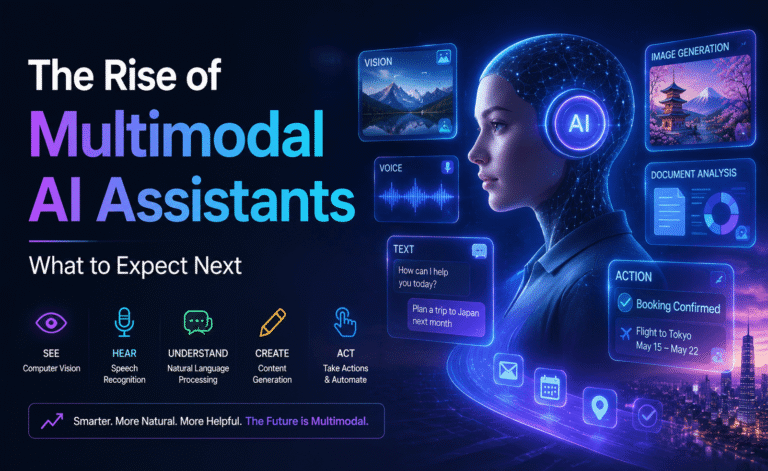
Text is no longer the whole story. Uploading a screenshot, a PDF, a spreadsheet, or a photo and asking a question about it is now a routine part of how people use these tools. We tested each assistant with a messy hand-written note, a multi-page PDF report, and a chart image.
- Document understanding: Parsing long PDFs with tables and footnotes remains the hardest test, and accuracy dropped for all three as document length grew.
- Image interpretation: Reading charts and extracting the underlying numbers worked well across the board, with occasional errors on cluttered or low-resolution images.
- Handwriting: Clean handwriting was read reliably; fast, messy handwriting caused more misreads than we expected from any of the three.
Pricing and Plans
Pricing structures shift often enough that we recommend checking the current numbers directly on each provider’s site before subscribing, but the general shape of the market has stayed consistent: a free tier with usage caps, a mid-tier individual subscription aimed at power users, and a business or enterprise tier with team management, higher limits, and stronger data controls.
If you’re a casual user who asks a handful of questions a day, the free tiers of all three are genuinely usable. Where you’ll feel the difference is in longer sessions, larger file uploads, and how quickly you hit rate limits during a busy work day.
Privacy and Data Handling
Enterprise and privacy-conscious users should always read the current data-usage policy for whichever assistant they choose, since these policies are updated periodically. In general, look for clear answers to three questions: Is my data used to train future models by default, and can I opt out? How long is conversation history retained? Is there a business tier with contractual data protections separate from the consumer product?
Which One Should You Choose?
There is no single winner here, and anyone who tells you otherwise is oversimplifying. Instead, think about your primary use case:
- Long-form writing and editorial work: favor the assistant whose default voice you like reading the most, since that’s the baseline you’ll be editing from.
- Software development: prioritize the assistant that best explains its reasoning on debugging tasks, since trust matters more than raw speed when code ships to production.
- Research and document-heavy work: test each assistant on your actual documents before committing, since PDF and table parsing quality varies by document structure.
- General daily use: the free tier of all three is good enough to start with — use them side by side for a week and notice which one you reach for without thinking.
Memory and Personalization
One of the more meaningful shifts in the last year has been assistants remembering context across sessions — your writing preferences, ongoing projects, or recurring questions — instead of starting from a blank slate every single conversation. This sounds like a small convenience, but in daily use it removes a surprising amount of repetitive setup. Instead of re-explaining your role, your team’s terminology, or your preferred formatting every time, the assistant carries that context forward.
The trade-off is that persistent memory raises legitimate questions about control and privacy. The better implementations give users a clear, visible way to see what’s been remembered, edit it, or delete it entirely — rather than a black box that silently accumulates information. If personalization matters to you, it’s worth spending five minutes in each assistant’s settings to see how transparent and editable that memory actually is before you rely on it for sensitive work.
Mobile and Cross-Device Experience
A chatbot that’s excellent on desktop but clunky on mobile loses a lot of its everyday usefulness, since a large share of quick questions — a fact check, a quick draft, a photo of a menu you want translated — happen on a phone, not at a desk. We tested each assistant’s mobile app for the basics: how quickly a new conversation loads, how well voice input works in a noisy environment, and how conversations sync between devices.
All three have invested heavily in mobile parity, and for straightforward text conversations the experience is close to seamless across devices. The differences show up more in edge cases: how gracefully a long conversation with several file uploads handles switching from phone to laptop, and how quickly voice mode responds on a spotty connection.
Customization and Custom Instructions
Beyond raw model quality, the ability to set standing instructions — a preferred tone, a rule about never using certain phrases, a standing context about your job or industry — has a bigger day-to-day impact than most people expect. An assistant that defaults to a style you dislike but can be reliably customized is often more pleasant to use long-term than one with a slightly better out-of-the-box personality that resists steering.
We tested this by giving each assistant the same custom instruction set (a specific tone, a formatting preference, and an instruction to avoid a certain kind of caveat) and then running unrelated tasks to see how consistently the instructions were honored. Consistency held up well across short sessions for all three, with more drift appearing in very long, topic-jumping conversations.
Frequently Asked Questions
Can I use more than one AI chatbot at once?
Absolutely, and many power users do exactly this — using one assistant for writing, another for coding, and switching based on which one handles a specific task best. There’s no technical reason to commit to just one, though juggling multiple subscriptions does add cost.
Do these chatbots get “smarter” over time automatically?
Underlying models are updated periodically by each provider, and these updates can meaningfully change behavior, sometimes for a task you rely on. It’s worth periodically re-testing tasks you use regularly rather than assuming behavior is frozen in place.
Is the free tier good enough for most people?
For light, occasional use, yes. If you find yourself hitting rate limits, needing longer conversation history, or uploading large files regularly, that’s usually the signal that a paid tier will pay for itself in saved friction.
Final Thoughts
The gap between the leading AI chatbots has narrowed considerably compared to a couple of years ago, and for most everyday tasks any of the three will get the job done. The decision increasingly comes down to tone, interface details, memory and customization, and the specific edge cases that matter for your work. Our advice: run your own three-question test — one writing task, one reasoning task, and one task specific to your job — before picking a favorite. The right chatbot is the one that disappears into your workflow instead of getting in the way of it.
About the Author