Topiry



Your phone knows more about you than your closest friend does. It knows where you sleep, where you work, which coffee shop Wi-Fi you connect to, and which apps you open the moment you wake up. That makes mobile devices the single most important place to run a VPN — and yet most people still think of VPNs as a “laptop thing.” In 2026, that mindset is outdated.
We’ve spent weeks testing mobile apps, comparing feature sets, digging through privacy policies, and living with each VPN installed on our own daily-driver phones. Below is our current list of the best mobile VPNs, what makes a mobile VPN different from a desktop one, and how to pick the right one for your situation.
Why a Mobile VPN Is Different From a Desktop VPN
A lot of people assume a VPN is a VPN, regardless of device. In practice, mobile VPN apps have to solve problems that desktop clients rarely deal with:
- Network switching: your phone jumps between Wi-Fi, 4G, and 5G dozens of times a day. A good mobile VPN needs to reconnect instantly without leaking your traffic during the handoff.
- Battery efficiency: a poorly optimized VPN client can drain your battery noticeably faster. Protocol choice and background process design matter a lot here.
- App-level permissions: mobile operating systems sandbox apps differently than desktop OSes, which affects how split tunneling and kill switches are implemented.
- Touch-first design: a cluttered desktop-style interface squeezed onto a small screen is a common failure point for otherwise good VPN services.
What We Looked For
Before ranking anything, we set a checklist. A mobile VPN worth recommending in 2026 should offer:
- A modern, low-battery-impact protocol (WireGuard-based protocols are now the standard)
- An app-level kill switch that actually blocks traffic when the tunnel drops, not just a toggle that looks reassuring
- Split tunneling, so you can route banking apps outside the tunnel while everything else stays protected
- A clear, ideally independently audited no-logs policy
- Reasonable pricing for multi-year plans, since monthly pricing on any VPN is rarely a good deal
- Responsive customer support, since mobile connectivity issues often need same-day help
Our Top Mobile VPN Picks for 2026
1. NordVPN — Best Overall Mobile VPN
NordVPN’s mobile app has matured into one of the cleanest, most reliable clients on the market. The NordLynx protocol (its WireGuard implementation) connects quickly and holds up well across network switches. Threat Protection, its built-in ad and tracker blocker, works at the OS level rather than just in-browser, which is particularly useful on mobile where so much tracking happens inside individual apps rather than a browser tab. Read our full NordVPN mobile review for a deeper breakdown.
2. ExpressVPN — Best for Simplicity and Speed
ExpressVPN’s mobile app is famous for its one-tap connect button, and for good reason — it’s arguably the easiest VPN to hand to a non-technical family member. Its Lightway protocol was purpose-built with mobile battery life in mind, and it shows: reconnects after switching from Wi-Fi to cellular are close to instant. Check out our ExpressVPN mobile review for the full picture.
3. Surfshark — Best Value for Multiple Devices
Surfshark allows unlimited simultaneous device connections on a single account, which is unusual in this market and genuinely useful for households with multiple phones, tablets, and streaming devices. Its CleanWeb feature strips ads and trackers before they ever load, and Bypasser (its split-tunneling tool) is one of the more flexible implementations we’ve tested. See our Surfshark mobile review for more detail.
4. Proton VPN — Best for Privacy-First Users
Built by the same team behind Proton Mail, Proton VPN leans heavily into transparency: its apps are open source and have been independently audited multiple times. The free tier is also one of the few free mobile VPN options that doesn’t sell user data or cap speeds aggressively, though it does limit server locations.
5. CyberGhost — Best for Streaming on the Go
CyberGhost organizes its server list by use case — “streaming,” “torrenting,” “gaming” — which is genuinely helpful on a small screen where digging through a plain country list is annoying. It’s a solid pick if your primary mobile VPN use case is unblocking region-locked content while traveling.
6. Private Internet Access (PIA) — Most Configurable
PIA exposes more granular settings than most mobile VPNs bother with — encryption level, protocol, MACE ad-blocking — making it a favorite among users who want to fine-tune rather than accept defaults. It’s slightly less beginner-friendly as a result.
Quick Comparison Table
| VPN | Simultaneous Devices | Mobile Protocol | Kill Switch | Split Tunneling | Free Tier |
|---|---|---|---|---|---|
| NordVPN | 10 | NordLynx | Yes | Yes | No |
| ExpressVPN | 8 | Lightway | Yes | Yes (Android) | No |
| Surfshark | Unlimited | WireGuard | Yes | Yes | No |
| Proton VPN | 10 | WireGuard | Yes | Yes | Yes |
| CyberGhost | 7 | WireGuard | Yes | Yes | No |
| PIA | Unlimited | WireGuard | Yes | Yes | No |
Android vs iPhone: Does the Platform Change Your Choice?
Mostly no — the top providers above maintain apps of comparable quality on both platforms. That said, there are a couple of platform-specific nuances worth knowing:
- Split tunneling on iOS is more limited than on Android because of restrictions Apple places on networking APIs. If per-app tunneling matters to you, double-check current support before committing to annual billing.
- Always-on VPN (a setting that blocks all network traffic until the VPN connects) is an Android-specific system feature that pairs well with a provider’s own kill switch for a second layer of protection.
- Battery reporting tends to be more transparent on Android, so if battery drain is a top concern, Android gives you better visibility into which app is responsible.
How Much Should You Pay?
Nearly every major VPN provider prices its monthly plan far higher than its 1-year or 2-year plan — sometimes by a factor of five or six. If you’re only testing a service, take advantage of the 30-day money-back guarantee most providers offer instead of committing to a monthly plan long-term. Once you’ve settled on a provider you trust, a 2-year plan will almost always be the better value.
Real-World Use Cases for a Mobile VPN
It’s easy to treat a mobile VPN as an abstract security checkbox, but the actual day-to-day value becomes obvious once you look at specific situations most phone owners run into regularly:
- Airport and hotel Wi-Fi: these networks are shared with hundreds of strangers and are a favorite target for traffic-sniffing attacks. A VPN encrypts your session before it ever reaches that shared network.
- Banking on the go: checking your account balance from a coffee shop hotspot is one of the riskiest everyday habits people don’t think twice about. Encrypting that session closes an easy attack window.
- Traveling abroad: some countries restrict access to specific apps, news sites, or messaging platforms. A VPN with servers in your home country lets you keep using the tools you rely on.
- Avoiding price discrimination: some travel booking and shopping sites adjust prices based on your detected location. Connecting through a different region can occasionally reveal a better rate.
- Keeping carriers and ISPs from profiling your browsing habits: mobile carriers can see unencrypted traffic patterns just like a home ISP can. A VPN removes that visibility.
Common Mobile VPN Mistakes to Avoid
Even with a great app installed, a few habits quietly undermine the protection a mobile VPN is supposed to provide:
- Leaving the kill switch disabled. Many apps ship with it off to avoid confusing new users during setup — turning it on should be one of the first things you do after installing any VPN.
- Only connecting “when it matters.” Toggling the VPN on only for sensitive tasks defeats the purpose, since ordinary browsing reveals plenty about you too. Treat it as an always-on background utility, not a special-occasion tool.
- Ignoring app updates. Protocol improvements and security patches roll out regularly; an outdated VPN client can miss important fixes.
- Choosing a server purely by ping time. The fastest server isn’t always the most private one for your specific use case — sometimes a slightly slower server in a different jurisdiction is the better choice.
- Assuming a VPN replaces all other security habits. A VPN encrypts your connection; it doesn’t replace strong passwords, two-factor authentication, or careful app permission management.
Frequently Asked Questions
Do I need a VPN on my phone if I already use one on my laptop?
Yes. Your phone connects to different networks throughout the day — airport Wi-Fi, coffee shop hotspots, cellular data — and each of those is a separate exposure point that your laptop’s VPN does nothing to protect.
Will a VPN slow down my phone’s internet?
Some speed reduction is unavoidable since your traffic is being encrypted and routed through an extra server, but with a modern protocol like WireGuard or Lightway, the difference is usually small enough that you won’t notice it during normal browsing, messaging, or streaming.
Can I use a free mobile VPN safely?
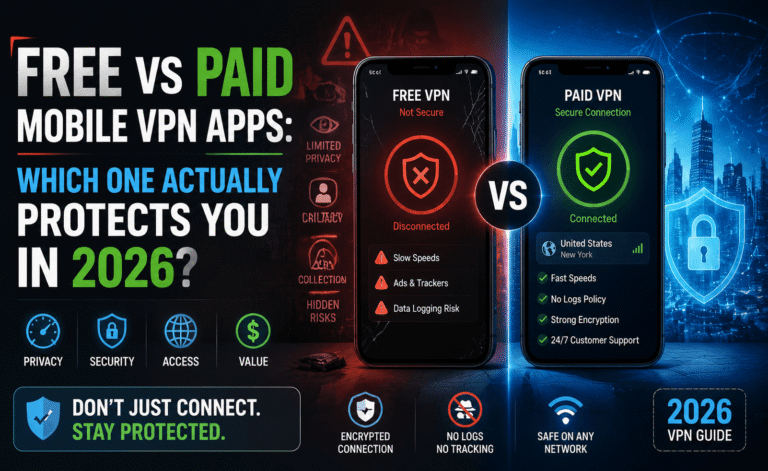
Some can be used safely (Proton VPN’s free tier is a reasonable example), but many free VPN apps monetize through data collection or intrusive ads. We cover this in detail in our free vs. paid mobile VPN guide.
Final Verdict
If you want one recommendation and nothing else: NordVPN is the safest all-around pick for most people in 2026, thanks to its balance of speed, security features, and app polish. If you’re on a tighter budget and have multiple devices in your household, Surfshark’s unlimited-device policy makes it the better value. And if privacy audits and open-source transparency matter more to you than flashy features, Proton VPN is worth the (slightly) higher learning curve.
Whichever you choose, the most important step is simply turning it on consistently — a great VPN sitting unused in your app drawer protects nobody.
About the Author